Invalid License File Message
Contents of this Topic: ShowHide
Problem Description
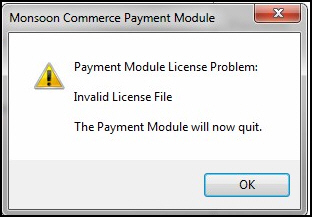
Error message "Invalid License File"
is encountered when attempting to launch Stone Edge
or anytime it calls the Payment Module.
You are most likely running MCPM 1.040 or
lower and your support contract expired. The license file is no longer
valid and must be recreated.
The problem is recorded in SEOM-4423.
Problem Resolution
- Close Stone Edge
and/or the Payment Module.
- Navigate to C:\Users\Public\Documents\MonsoonCommerce\Payment
Module and locate the file named setilic.dat.
- Select the file, right-click, and select Delete.
- Install MCPM 1.0.43 or higher, which is available
at the download gateway.
You will need the credentials provided by Monsoon Commerce when you
purchased the program to access the download gateway.
- Launch Stone Edge
or the Payment Module. You are prompted to enter your credentials
to create a new license file. Enter the same user name and password
you use to access the download gateway.
Created:
4/29/15
Revised:
Published:
04/13/16
